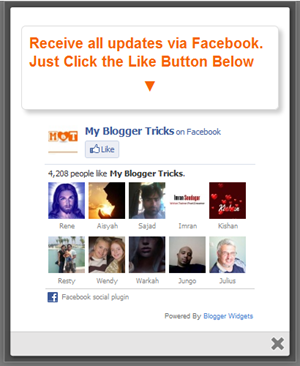
Previously I've posted about LofsliderNews - Slider for Top Post Blogger. This time, I will post on Mashable Sharing Widget For Blogger. This widget is somewhat impractical, because the widgets are a few buttons to share a single container. So, you do not need to find the codes for the share of each site. Here is a picture of the widget that I mean:
1. To put it in your blog, just follow these steps:
2. Go To Blogger > Design
3. Choose "Add a gadget"
4. Select HTML/JavaScript Widget
5. Paste the following code inside it,
1. To put it in your blog, just follow these steps:
2. Go To Blogger > Design
3. Choose "Add a gadget"
4. Select HTML/JavaScript Widget
5. Paste the following code inside it,
<style>
/* Social Widget */
#MBT-mashable-bar {
border: 0;
margin-bottom: 10px;
margin: 0 auto;
width:300px;
}
.fb-likebox {
background: #fff;
padding: 10px 13px 0 10px;
border-right: 1px solid #D8E6EB;
border-left: 1px solid #D8E6EB;
border-bottom: 1px solid #D8E6EB;
margin:0px;
height:45px;
}
.googleplus {
background: #F5FCFE;
border-top: 1px solid #FFF;
border-bottom: 1px solid #ebebeb;
border-right: 1px solid #D8E6EB;
border-left: 1px solid #D8E6EB;
border-image: initial;
font-size: .90em;
font-family: "Arial","Helvetica",sans-serif;
color: #000;
padding: 9px 11px;
line-height: 1px;}
.googleplus span {
color: #000;
font-size: 11px;
position: absolute;
display:inline-block;
margin: 9px 70px;}
.g-plusone { float: left;}
/* Social Widget */
#MBT-mashable-bar {
border: 0;
margin-bottom: 10px;
margin: 0 auto;
width:300px;
}
.fb-likebox {
background: #fff;
padding: 10px 13px 0 10px;
border-right: 1px solid #D8E6EB;
border-left: 1px solid #D8E6EB;
border-bottom: 1px solid #D8E6EB;
margin:0px;
height:45px;
}
.googleplus {
background: #F5FCFE;
border-top: 1px solid #FFF;
border-bottom: 1px solid #ebebeb;
border-right: 1px solid #D8E6EB;
border-left: 1px solid #D8E6EB;
border-image: initial;
font-size: .90em;
font-family: "Arial","Helvetica",sans-serif;
color: #000;
padding: 9px 11px;
line-height: 1px;}
.googleplus span {
color: #000;
font-size: 11px;
position: absolute;
display:inline-block;
margin: 9px 70px;}
.g-plusone { float: left;}
.gplus {
background: #fff;
padding: 0px;
border: 0px solid #C7DBE2;
margin-bottom:-13px;}
background: #fff;
padding: 0px;
border: 0px solid #C7DBE2;
margin-bottom:-13px;}
.twitter {
background: #EEF9FD;
padding: 10px;
border: 1px solid #C7DBE2;
border-top: 0;}
#mashable {
background: #EBEBEB;
border: 1px solid #CCC;
border-top: 1px solid white;
padding: 2px 8px 2px 3px;
text-align: right;
border-image: initial;}
#mashable .author-credit {}
#mashable .author-credit a {
font-size: 10px;
font-weight: bold;
text-shadow: 1px 1px white;
color: #1E598E;
text-decoration:none;}
#email-news-subscribe .email-box{
padding: 5px 10px;
font-family: "Arial","Helvetica",sans-serif;
border-top: 0;
border-right: 1px solid #C7DBE2;
border-left: 1px solid #C7DBE2;
border-image: initial;
height:35px;}
#email-news-subscribe .email-box input.email{
background:#FFFFFF;
border: 1px solid #dedede;
color: #999;
padding: 7px 10px 8px 10px;
-moz-border-radius: 3px;
-webkit-border-radius: 3px;
-o-border-radius: 3px;
-ms-border-radius: 3px;
-khtml-border-radius: 3px;
border-radius: 3px;
border-image: initial;
font-family: "Arial","Helvetica",sans-serif;}
#email-news-subscribe .email-box input.email:focus{color:#333}
#email-news-subscribe .email-box input.subscribe{
background: -moz-linear-gradient(center top,#FFCA00 0,#FF9B00 100%);
background: -webkit-gradient(linear,left top,left bottom,color-stop(0,#FFCA00),color-stop(1,#FF9B00));
background: -moz-linear-gradient(center top,#FFCA00 0,#FF9B00 100%);
-pie-background: linear-gradient(270deg,#ffca00,#ff9b00);
font-family: "Arial","Helvetica",sans-serif;
border-radius:3px;
-moz-border-radius:3px;
-webkit-border-radius:3px;
border:1px solid #cc7c00;
color:white;
text-shadow:#d08d00 1px 1px 0;
padding:7px 14px;
margin-left:3px;
font-weight:bold;
font-size:12px;
cursor:pointer;
border-image: initial;}
#email-news-subscribe .email-box input.subscribe:hover{
background: #ff9b00;
background-image:-moz-linear-gradient(top,#ffda4d,#ff9b00);
background-image:-webkit-gradient(linear,left top,left bottom,from(#ffda4d),to(#ff9b00));
filter:progid:DXImageTransform.Microsoft.Gradient(startColorStr=#ffffff,endColorStr=#ebebeb);
outline:0;-moz-box-shadow:0 0 3px #999;
-webkit-box-shadow:0 0 3px #999;
box-shadow:0 0 3px #999
background:-webkit-gradient(linear,left top,left bottom,color-stop(0,#ffda4d),color-stop(1,#ff9b00));
background:-moz-linear-gradient(center top,#ffda4d 0,#ff9b00 100%);
-pie-background:linear-gradient(270deg,#ffda4d,#ff9b00);
border-radius:3px;
-moz-border-radius:3px;
-webkit-border-radius:3px;
border:1px solid #cc7c00;
color:#FFFFFF;
text-shadow:#d08d00 1px 1px 0}
#other-social-bar {
background-color: #D8E6EB;
box-shadow: 0 1px 1px #FFFFFF inset;
padding: 0px;
font-family: "Arial","Helvetica",sans-serif;
font-weight:bold;
overflow: hidden;
border: 1px solid #B6D0DA;
height:37px;
}
#other-social-bar ul {list-style: none outside none; padding-left: 4px;}
#other-social-bar .other-follow {
float: left;
color:#1E598E;
overflow: hidden;
height:20px;
padding:5px;
width: 270px;}
#other-social-bar .other-follow ul {
list-style: none outside none;
padding-left: 4px;}
#other-social-bar .other-follow ul li {
font-size: 12px;
font-weight: bold;
display:inline;
border:0;
text-shadow: 1px 1px white;}
#other-social-bar .other-follow ul li a {
font-size: 12px;
color:#1E598E;
font-weight: bold;
display:inline;
text-shadow: 1px 1px white;}
#other-social-bar .other-follow li {
font-size: 12px;
font-weight: bold;
display:inline;
border:0;
text-shadow: 1px 1px white;}
#other-social-bar .other-follow li a {
font-size: 12px;
color:#1E598E;
font-weight: bold;
display:inline;
text-shadow: 1px 1px white;}
#other-social-bar .other-follow li.my-rss {
background: url('https://blogger.googleusercontent.com/img/b/R29vZ2xl/AVvXsEj9oh11MBkt2rooqz7jzpnz_3pFKk329afdAYEtJlAFWHdNtn7Nep8XGzepkJDsqfp59TYv1hTjtVCoa35p8Ehm0vXszsn37hFsA9VYQ0fuc9AorXqeIwyU_XFUa4VQo5v7RCeQ70rTla4/s400/rss-16x16.png') no-repeat transparent;
line-height: 1;
padding: 0px 3px 1px 20px;
width: 60px;
margin-bottom:0px;
margin-left:5px;}
#other-social-bar .other-follow li.my-rss a, #other-social-bar
.other-follow li.my-twitter a, #other-social-bar .other-follow
li.my-gplus a{
text-decoration:none;
}
text-decoration:none;
}
#other-social-bar .other-follow li.my-rss a:hover, #other-social-bar
.other-follow li.my-twitter a:hover, #other-social-bar .other-follow
li.my-gplus a:hover{
text-decoration:underline;
}
text-decoration:underline;
}
#other-social-bar .other-follow li.my-twitter {
background: url('https://blogger.googleusercontent.com/img/b/R29vZ2xl/AVvXsEjRPAHRoEq8PZzzhLKS6aphR6f1DQUo5E19vn6NrbXOtNuBiUIn7beMMiACdHGUOyK4Xrncxn1AKRYAxucDmXDZQVZAPRzm1iea00v2XGJePzoeOzURwq4JC_AdrdCcUP3CsRRtnGHkjzs/s400/twitter%2527.png') no-repeat transparent;
line-height: 1;
padding: 0px 3px 1px 20px;
width: 60px;
margin-bottom:0px;}
#other-social-bar .other-follow li.my-gplus {
background: url(https://blogger.googleusercontent.com/img/b/R29vZ2xl/AVvXsEj7l99WxaTPxQjLc-nxshlUntHRY9G35CuRom__DrfZw08WuUF7M4XWc7NKDhz_Zj7pbuExlOHi8RdweKP6aJ7IRfjZ4wb-eF5s0lnQcr-Ab8nH2x-uTcInYdGhINXGKBoylY-sq6s1Xx4/s400/gplus-16x16.png) no-repeat transparent;
line-height: 1;
width: 60px;
padding: 0px 3px 1px 20px;
margin-bottom:0px;}
background: url('https://blogger.googleusercontent.com/img/b/R29vZ2xl/AVvXsEjRPAHRoEq8PZzzhLKS6aphR6f1DQUo5E19vn6NrbXOtNuBiUIn7beMMiACdHGUOyK4Xrncxn1AKRYAxucDmXDZQVZAPRzm1iea00v2XGJePzoeOzURwq4JC_AdrdCcUP3CsRRtnGHkjzs/s400/twitter%2527.png') no-repeat transparent;
line-height: 1;
padding: 0px 3px 1px 20px;
width: 60px;
margin-bottom:0px;}
#other-social-bar .other-follow li.my-gplus {
background: url(https://blogger.googleusercontent.com/img/b/R29vZ2xl/AVvXsEj7l99WxaTPxQjLc-nxshlUntHRY9G35CuRom__DrfZw08WuUF7M4XWc7NKDhz_Zj7pbuExlOHi8RdweKP6aJ7IRfjZ4wb-eF5s0lnQcr-Ab8nH2x-uTcInYdGhINXGKBoylY-sq6s1Xx4/s400/gplus-16x16.png) no-repeat transparent;
line-height: 1;
width: 60px;
padding: 0px 3px 1px 20px;
margin-bottom:0px;}
</style>
<!--[if IE]>
<style>
#email-news-subscribe .email-box input.subscribe{
background: #FFCA00;
}
</style>
#email-news-subscribe .email-box input.subscribe{
background: #FFCA00;
}
</style>
<![endif]-->
<!--begin
of social widget--> <div style="margin-bottom:10px;"> <div
id="MBT-mashable-bar" > <!-- Begin Widget -->
<div class="gplus"> <link href="https://plus.google.com/111531258366007458448" rel="publisher" />
<script
type="text/javascript"> window.___gcfg = {lang: 'en'};
undefinedfunctionundefined) {var po =
document.createElementundefined"script"); po.type = "text/javascript";
po.async = true;po.src = "https://apis.google.com/js/plusone.js"; var s =
document.getElementsByTagNameundefined"script")[0];
s.parentNode.insertBeforeundefinedpo, s); })undefined);</script>
<script type="text/javascript"> var _gaq = _gaq || [];
_gaq.pushundefined['_setAccount', 'UA-29131740-1']);
_gaq.pushundefined['_trackPageview']); undefinedfunctionundefined) { var
ga = document.createElementundefined'script'); ga.type =
'text/javascript'; ga.async = true; ga.src = undefined'https:' ==
document.location.protocol ? 'https://ssl' : 'http://www') +
'.google-analytics.com/ga.js'; var s =
document.getElementsByTagNameundefined'script')[0];
s.parentNode.insertBeforeundefinedga, s); })undefined); </script>
<!-- Place this tag where you want the badge to render --> <g:plus href="https://plus.google.com/111531258366007458448" width="300" height="131" margin="0px" theme="light"></g:plus> </div>
<div
class="fb-likebox"> <!-- Facebook --> <iframe
src="//www.facebook.com/plugins/like.php?href=http://facebook.com/johannez.albert&send=false&layout=standard&
width=200px&show_faces=false&action=like&colorscheme=light&
font&height=100px&" scrolling="no" frameborder="0"
style="border:none; overflow:hidden; "></iframe> </div>
<div
class="googleplus"> <!-- Google --> <span>Recommend us
on Google!</span><div class="g-plusone"
data-size="medium"></div> <script type="text/javascript"
src="https://apis.google.com/js/plusone.js"></script>
</div>
<div class="twitter"> <!-- Twitter
--> <iframe title="" style="width: 300px; height: 20px;"
class="twitter-follow-button"
src="http://platform.twitter.com/widgets/follow_button.html#_=1319978796351&
align=&button=blue&id=twitter_tweet_button_0&
lang=en&link_color=&screen_name=@j0hannezz&show_count=&
show_screen_name=&text_color=" frameborder="0"
scrolling="no"></iframe> </div>
<div
id="email-news-subscribe"> <!-- Email Subscribe --> <div
class="email-box"> <form
action="http://feedburner.google.com/fb/a/mailverify" method="post"
target="popupwindow"
onsubmit="window.openundefined'http://feedburner.google.com/fb/a/mailverify?uri=tntbystc',
'popupwindow', 'scrollbars=yes,width=550,height=520');return true">
<input class="email" type="text" style="width: 150px; font-size:
12px;" id="email" name="email" value="Enter Your Email here.."
onfocus="ifundefinedthis.value==this.defaultValue)this.value='';"
onblur="ifundefinedthis.value=='')this.value=this.defaultValue;"
/> <input type="hidden" value="hooligan"
name="uri" /> <input type="hidden" name="loc" value="en_US" />
<input class="subscribe" name="commit" type="submit"
value="Subscribe" /> </form> </div> </div> <div
id="other-social-bar"> <!-- Other Social Bar --> <ul
class="other-follow"> <li class="my-rss"> <a rel="nofollow"
title="RSS" href="http://feeds.feedburner.com/hooligan"
target="_blank">RSS Feed</a> </li> <li
class="my-twitter"> <a rel="nofollow" title="twitter" rel="author"
href=http://twitter.com/@j0hannezz"
target="_blank">Twitter</a> </li> <li
class="my-gplus"> <a rel="nofollow" title="Google Plus"
rel="author" href=https://plus.google.com/111531258366007458448
target="_blank">Google Plus</a> </li> </ul>
</div> <div id="mashable" style="background: #EBEBEB;border:
1px solid #CCC;border-top: 1px solid white;padding: 1px 8px 1px
3px;text-align: right;border-image: initial;font-size:10px;font-family:
"arial","helvetica",sans-serif;"> <span class="author-credit"
style="font-family: Arial, Helvetica, sans-serif;"><a
href="http://www.mybloggertricks.com" target="_blank" >Blogger
Widgets »</a></span></div></div> <!-- End
Widget --> </div>
<!--end of social widget-->
Make these important changes:
5. Next search for this ]]></b:skin> Paste the following code just below it
- Replace bloggertricks with your Facebook username
- Replace mybloggertricks with your twitter username
- Replace hooligan with your Feedburner title. Your Feedburner title is the word added at the end of your Feedburner link. Example: http://feeds.feedburner.com/tntbystc
- Replace http://feeds.feedburner.com/tntbystc with your feedburner link.
- Replace https://plus.google.com/111531258366007458448 with your Google Plus profile link
5. Next search for this ]]></b:skin> Paste the following code just below it
<script src='http://apis.google.com/js/plusone.js' type='text/javascript'/>
6. Now save your widget and you are all done!
Good Luck
Source : My Blog Tricks